
Cloud-Based vs. Desktop AI Video Tools for Long-Form YouTube: Which Delivers Better Results? #
You want to produce long-form AI videos for YouTube. You open your browser and find two types of tools: cloud platforms that run everything on remote servers, and desktop apps that use your local machine. Both promise professional results. Both claim to be faster. Both want your money. So which one actually delivers for long-form creators who need consistency, speed, and quality at scale?
This isn't a theoretical debate. The choice between cloud and desktop AI video tools affects your render times, your monthly costs, your ability to scale production, and the quality ceiling of your output. For creators producing 10, 20, or 30+ long-form videos per month, picking the wrong architecture means wasted hours and capped growth.
What Cloud-Based AI Video Tools Actually Do #
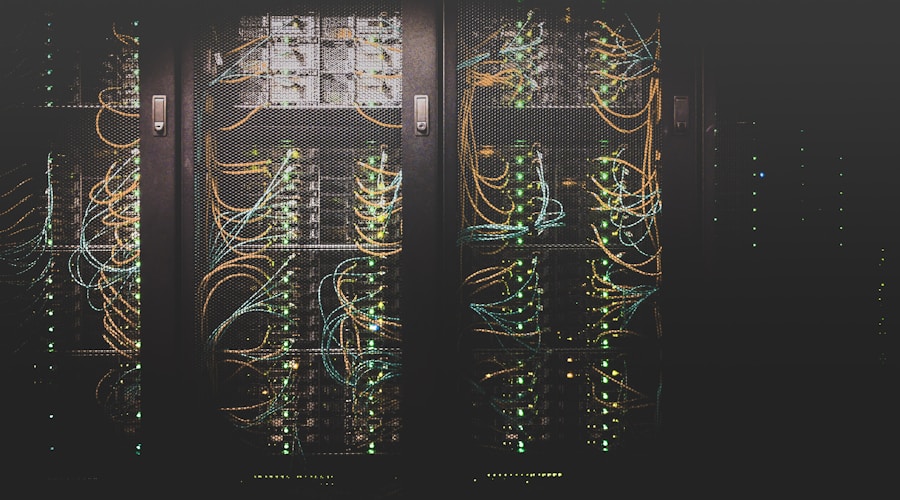
Cloud-based AI video tools run their entire pipeline on remote servers. When you generate a script, create voiceover, produce AI visuals, or render the final video, none of that processing happens on your machine. You interact through a web browser or lightweight app, and the heavy lifting happens in data centers with enterprise-grade GPUs.
This matters because long-form AI video production is computationally expensive. Generating 15 to 30 high-resolution AI images for a 10-minute video, rendering each one with cinematic camera movements, compositing transitions, syncing voiceover, and encoding the final output requires serious hardware. Cloud platforms absorb that cost and spread it across their user base.
Platforms like Channel.farm handle the full pipeline in the cloud, from script generation through final render. You never think about GPU memory, VRAM limitations, or whether your laptop can handle another render job.
What Desktop AI Video Tools Actually Do #
Desktop tools install directly on your machine. They use your local CPU and GPU to run AI models, generate images, process audio, and render video. Some are fully offline, while others download AI models once and run locally with occasional cloud calls for specific features.
The appeal is obvious: no recurring subscription for server time, no upload/download delays, and complete privacy since your content never leaves your machine. For creators who are protective of unreleased content or working in sensitive niches, that privacy angle is real.
The catch is equally obvious: you need serious hardware. Running modern AI image generation, text-to-speech, and video rendering locally requires a high-end GPU (often 12GB+ VRAM), fast storage, and plenty of RAM. A MacBook Air isn't going to cut it.
Render Speed: Cloud Wins for Long-Form Creators #
Here's where the gap becomes concrete. A typical 10-minute AI video requires generating 20 to 30 scene images, rendering each into a video clip with motion effects, compositing everything with transitions, and encoding the final output. On a cloud platform with enterprise GPUs, this pipeline can complete in 5 to 15 minutes depending on complexity.
On a desktop with a consumer-grade GPU (say, an RTX 4070), the same pipeline takes 30 to 60 minutes. Image generation alone can eat 15 to 20 minutes if you're running models like SDXL or Flux locally. Add voiceover generation, clip rendering, and final composition, and you're looking at significant wait times per video.
For a creator publishing one video per week, that difference is manageable. For someone scaling to a full AI video production stack with 4+ videos per week, those hours add up fast. Cloud platforms let you queue multiple videos and walk away. Desktop tools tie up your machine for each render.
- Cloud rendering: 5-15 minutes per 10-minute video (enterprise GPUs, parallel processing)
- Desktop rendering: 30-60+ minutes per 10-minute video (consumer GPU, sequential processing)
- Cloud advantage multiplies with volume: 10 videos per week saves 4-8 hours vs. desktop

Cost Comparison: It's Not as Simple as Monthly vs. One-Time #
The most common argument for desktop tools is cost. "I pay once and own it forever." And for the software license, that's sometimes true. But the real cost equation for long-form AI video production looks very different.
Desktop costs include the software license (often $50 to $300), but also the hardware required to run it effectively. A capable desktop setup for AI video production runs $1,500 to $3,000+ for the GPU alone. Factor in electricity costs for running intensive GPU workloads (a high-end GPU draws 300+ watts under load), hardware deprecation as AI models get larger and more demanding, and the time cost of managing updates, drivers, and model downloads.
Cloud platforms charge monthly subscriptions, typically $30 to $150/month for serious long-form creators. That feels expensive until you calculate the total cost of ownership for a desktop setup over 12 to 24 months. Including hardware upgrades, electricity, and the value of your time spent on technical maintenance, cloud platforms often break even or come out cheaper for creators producing more than 8 to 10 videos per month.
- Desktop: $50-$300 software + $1,500-$3,000 GPU + electricity + maintenance time + hardware upgrades every 18-24 months
- Cloud: $30-$150/month subscription, all infrastructure included, automatic upgrades to latest AI models
- Break-even point: Cloud typically wins for creators producing 8+ long-form videos per month when you factor total cost of ownership
Scalability: Cloud Was Built for This #
Scaling is where the cloud vs. desktop comparison stops being close. If you want to go from 4 videos per week to 20 videos per week on a desktop, you need to either buy more hardware or accept dramatically longer queue times. Your single GPU is a bottleneck that no amount of software optimization can eliminate.
Cloud platforms scale horizontally. When you queue 10 videos, the platform can process them in parallel across multiple server instances. Your 10th video doesn't wait for the first 9 to finish. For creators running an integrated platform that handles scripting through final render, this parallelism is built into the architecture.
This is especially critical for AI video agencies managing multiple client channels. If you're producing content for 5 to 10 clients, each needing 2 to 4 videos per week, desktop tools simply cannot keep pace without investing in multiple dedicated rendering machines.
Quality Ceiling: Cloud Platforms Access Better Models #
AI models improve rapidly. The image generation models available today are significantly better than what existed six months ago. Cloud platforms can upgrade their backend models without requiring anything from users. You log in one day and your videos look better because the platform switched to a newer, more capable model.
Desktop tools face a harder upgrade path. Newer AI models are often larger, requiring more VRAM and compute power. A model that worked fine on your 12GB GPU might have a successor that needs 16GB or 24GB. Upgrading means buying new hardware, not just downloading an update.
For long-form YouTube creators, visual quality directly impacts audience retention. Viewers will tolerate slightly imperfect visuals in a 30-second clip, but across a 10 to 15-minute video, quality compounds. Every scene image, every transition, every text overlay needs to hold up. Cloud platforms that continuously upgrade their AI models help ensure your video quality keeps improving without additional investment from you.

Branding Consistency: Cloud Platforms Have an Edge #
Long-form YouTube success depends on visual consistency. Your channel needs a recognizable look that viewers associate with your content. Desktop tools give you manual control over every setting, but maintaining consistency across dozens of videos requires discipline and careful configuration management.
Cloud platforms can bake consistency into the product. Branding profiles that lock in your visual style, voice, font, colors, and text settings mean every video matches your brand identity automatically. You set it once and produce hundreds of on-brand videos without reconfiguring anything. This is harder to replicate with desktop tools where settings live in project files that you have to manually duplicate and maintain.
Channel.farm's branding profile system, for example, lets creators save multiple brand configurations and switch between them instantly. That's a cloud-native feature that would require significant manual workflow management to replicate on desktop.
When Desktop Tools Still Make Sense #
Desktop tools aren't obsolete. There are legitimate scenarios where local processing wins.
- Privacy-sensitive content: If your scripts or visuals contain proprietary information that can't leave your machine, local processing eliminates third-party data exposure
- Unreliable internet: Creators in areas with slow or unstable connections can't depend on cloud platforms that require constant uploads and downloads
- One-off projects: If you're producing a single video for a specific project (not ongoing content), the subscription cost of a cloud platform doesn't make sense
- Technical creators who enjoy the control: Some people genuinely prefer configuring their own AI pipeline, choosing specific models, and tuning parameters. Desktop tools give that granular control
- Budget-constrained hobbyists: If you already own capable hardware and produce fewer than 4 videos per month, desktop tools can be cheaper in the short term
When Cloud Platforms Are the Clear Winner #
For most long-form YouTube creators who are serious about consistency and scale, cloud platforms win. Here's the profile of a creator who should absolutely go cloud.
- Producing 4+ long-form videos per week
- Running multiple channels or managing client content
- Prioritizing time efficiency over technical tinkering
- Wanting automatic access to the latest AI models without hardware upgrades
- Needing consistent branding across every video without manual configuration
- Scaling production volume over time rather than staying at a fixed output
If that sounds like you, use a structured evaluation framework to compare specific platforms rather than defaulting to whatever shows up first in a Google search.
The Hybrid Approach: Using Both Strategically #
Some advanced creators use both. They run a cloud platform for their primary production pipeline, queuing videos, maintaining branding profiles, and leveraging fast render times. Then they use desktop tools for specific tasks like custom image editing, audio processing, or experimental projects where they want granular control.
This hybrid approach works best when your cloud platform handles the core pipeline (scripting, voiceover, visuals, composition, rendering) and desktop tools handle edge cases. You get the speed and consistency of cloud for 90% of your output and the flexibility of desktop for the remaining 10%.
The key is not letting the desktop portion become a bottleneck. If you find yourself spending more time in desktop tools than in your cloud platform, you're probably overcomplicating your workflow.
Making the Decision: 5 Questions to Ask Yourself #
- How many videos per week am I producing (or planning to produce)? If it's more than 4, cloud is likely the better investment.
- Do I have $2,000+ to spend on GPU hardware? If not, cloud subscriptions spread the cost over time.
- How important is consistent branding across every video? If very important, cloud platforms with branding profiles save significant manual effort.
- Do I need to scale production in the next 6 months? Cloud scales instantly. Desktop requires hardware purchases.
- Am I comfortable with technical maintenance? Desktop tools require driver updates, model management, and troubleshooting. Cloud platforms handle all of that.

The Bottom Line #
For long-form YouTube creators who want to produce consistent, high-quality AI videos at scale, cloud-based platforms are the stronger choice. They're faster, easier to scale, automatically stay current with the latest AI models, and eliminate the hardware investment that desktop tools require.
Desktop tools still have a place for privacy-conscious creators, technical enthusiasts, and low-volume producers. But the trajectory of AI video production is clearly moving toward cloud-native platforms that abstract away the complexity and let creators focus on what actually matters: making great content that grows their channel.
If you're evaluating cloud platforms specifically, look for ones that offer branding profiles, real-time pipeline tracking, and a complete end-to-end workflow rather than stitching together multiple separate tools.